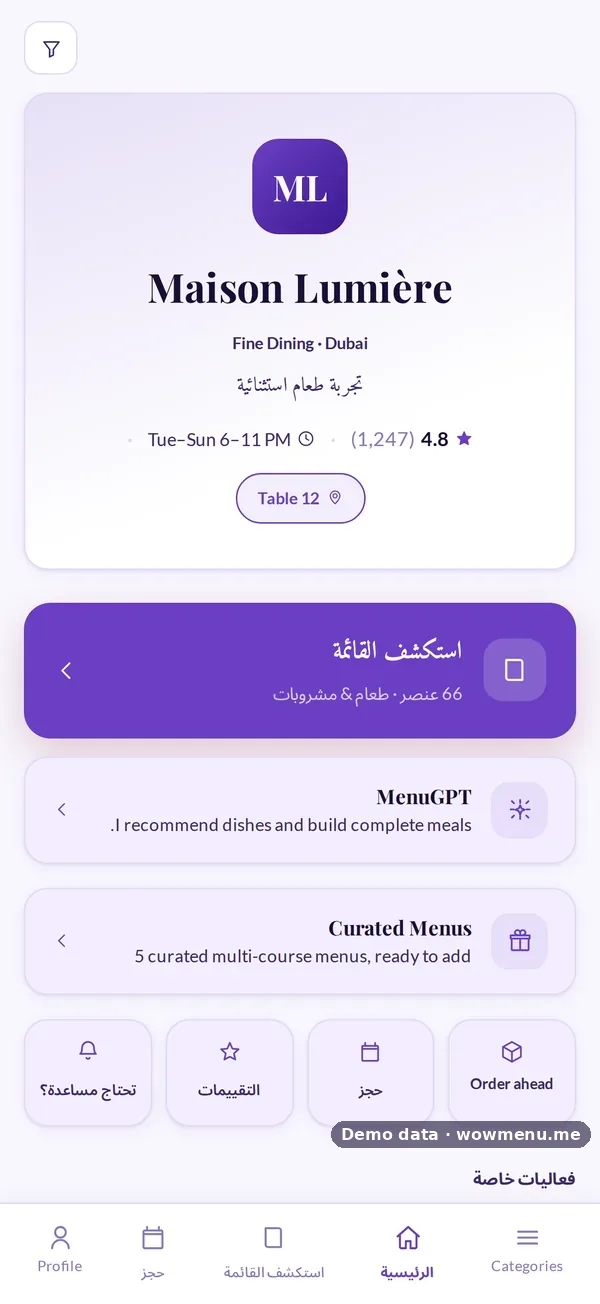
An Arabic digital menu done correctly is not an English menu with translated text. Text flows right to left, the navigation mirrors, buttons move to the other side and the whole interface adapts. WowMenu's Arabic is a true right-to-left experience with Arabic fonts and a mirrored layout, not a translation pasted into a left-to-right page.
The menu, MenuGPT's answers and the order flow all appear in Arabic when the guest chooses it, and the choice is remembered for next time. Prices can switch to the guest's preferred currency in a tap.
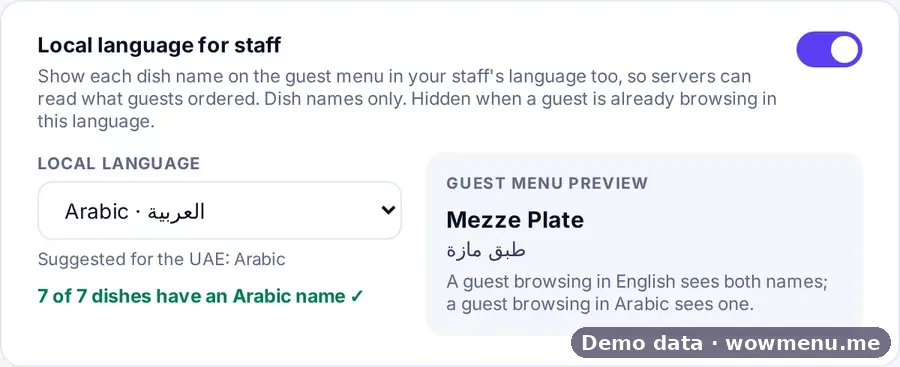
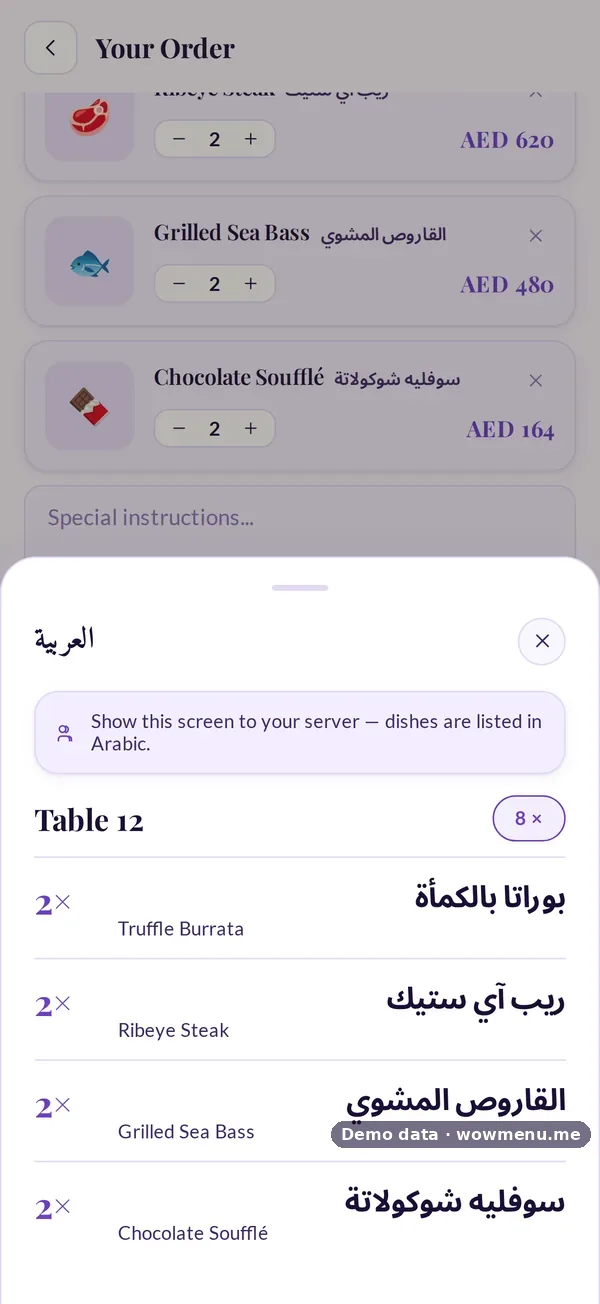
Your team gets an Arabic view too. Choose Arabic as your staff language and each dish name also appears in Arabic, and Show to staff opens a full-screen order in large Arabic text, with quantities, options, round numbers and allergies, so a server can read exactly what the table ordered.
Auto-translate in the Owner Portal can fill Arabic dish names and descriptions for you to review. Halal is one of the dietary tags, and Campaigns includes templates such as a Ramadan iftar combo and Eid 20% off.
How it connects
What the owner sets up or sees in the portal, and what the guest sees in the QR menu. Screens are from the demo restaurant, Maison Lumière, with demo data.
Arabic for guests, and Arabic for your team
Guests who choose Arabic get a right-to-left menu. The owner can also choose Arabic as the staff language, so servers read the order in large Arabic text.
Key benefits
What Arabic Digital Menu does for your restaurant
True RTL layout
Text alignment, navigation, buttons and interface elements mirror correctly, with Arabic fonts.
Arabic for your team
Choose Arabic as your staff language and dish names and the Show to staff order appear in large Arabic text.
Templates for the season
Campaign templates include a Ramadan iftar combo, Eid 20% off and a National Day discount.
How it works
The guest selects Arabic
One tap in the language selector switches the menu, MenuGPT and the order flow to Arabic.
The layout mirrors
Text, navigation, filters and buttons flip to right-to-left.
Your team reads it in Arabic
With Arabic as the staff language, dish names appear in Arabic and Show to staff opens the order in large Arabic text.
Frequently asked
Is the Arabic menu really right-to-left?
Yes. It uses Arabic fonts and a mirrored layout, not a translation pasted into a left-to-right page.
Does MenuGPT answer in Arabic?
Yes. MenuGPT answers in the language the guest has chosen.
Can my staff read orders in Arabic?
Yes. Choose Arabic as your staff language and Show to staff opens a full-screen order in large Arabic text, with quantities, options, round numbers and allergies.
Are my dishes translated into Arabic automatically?
Yes. Auto-translate in the Owner Portal can fill Arabic names and descriptions, and you review them before they go live. The staff-language coverage check shows any dish still missing an Arabic name.