A digital menu should do more than replace the paper one. WowMenu's menu opens from a QR code in the phone's browser, in your brand's theme and the guest's language, and guests can order and pay from it without an app.
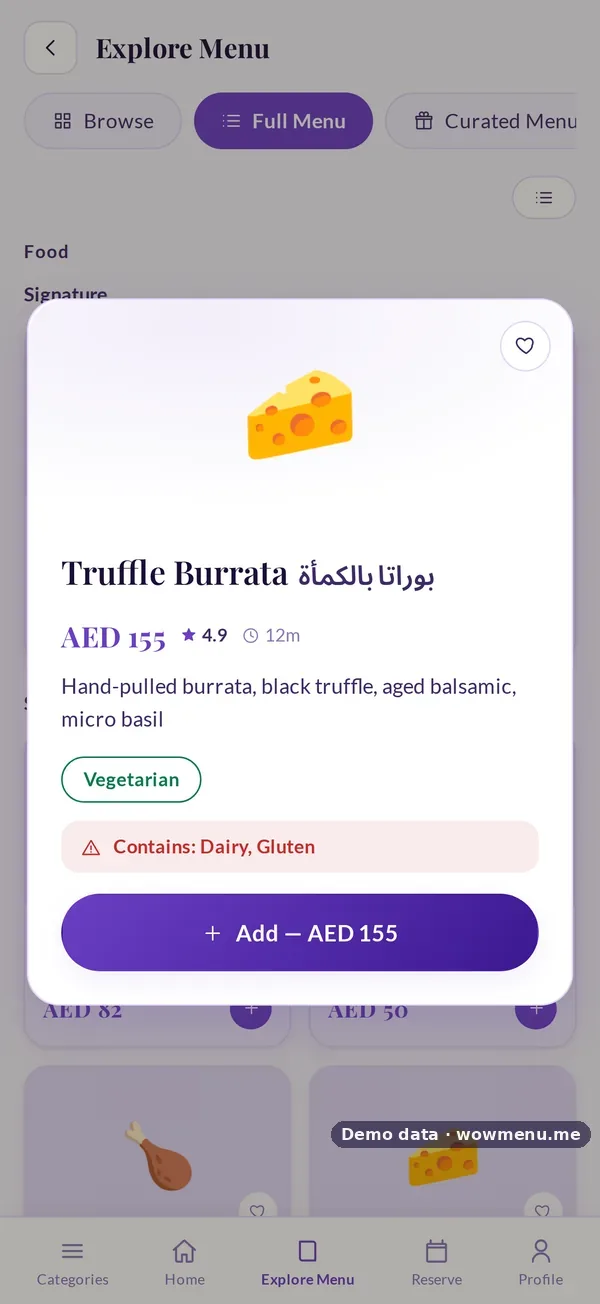
Every dish carries what a guest needs to decide: sizes with their own prices, add-on choices, dietary tags, allergens, rating and preparation time. Guests can filter by dietary need, spice level and allergen, and MenuGPT recommends complete meals from the same menu.
Behind it, the Owner Portal keeps the menu in shape: categories and availability hours, a photo and description for each dish, AI generate to draft descriptions, and Auto-translate to fill every menu language you switch on.
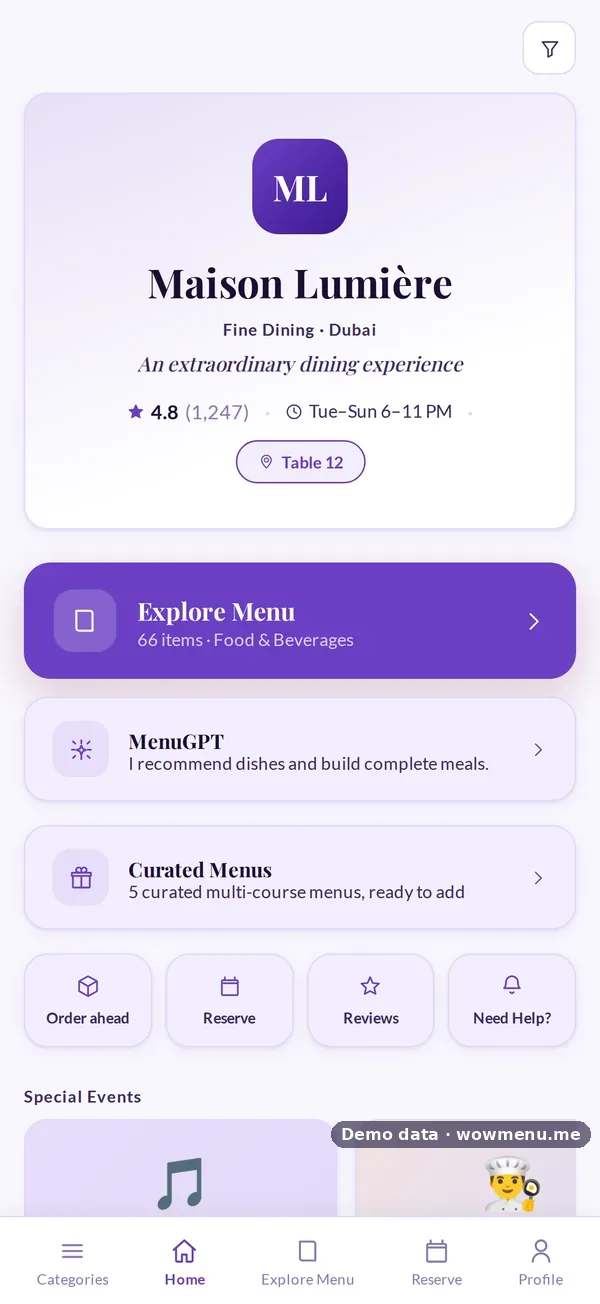
One menu, any look, any language
Switch the theme or the language to see the same demo menu change. Owners approve the themes guests can pick and enable the languages they need.
Theme
Language
- 83 themes in the library, and you approve which ones guests can pick
- 27 menu languages, with Arabic laid out right to left
- Prices shown in the guest's currency, from the 11 you can accept
- Filters for dietary needs, spice level and allergens
What's on every dish
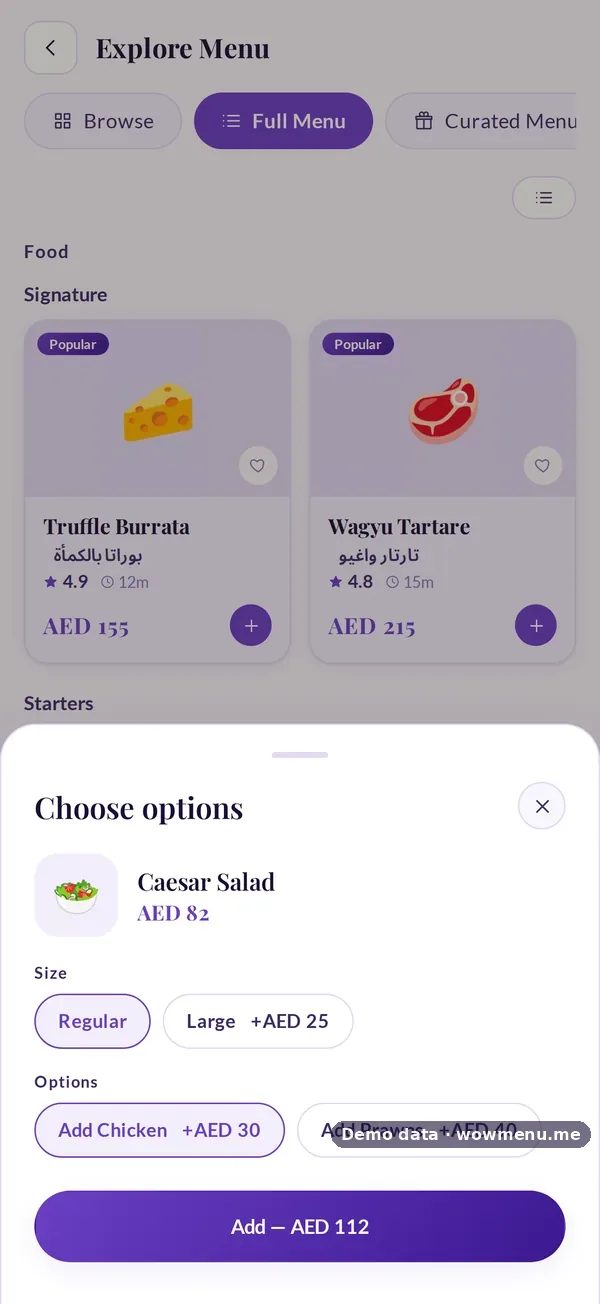
- Sizes, each with its own price
- Add-on groups with minimum and maximum choices
- Dietary tags such as Vegetarian, Vegan, Halal or Spicy
- Allergens on the dish, from nine allergen options
- Rating and preparation time
How it connects
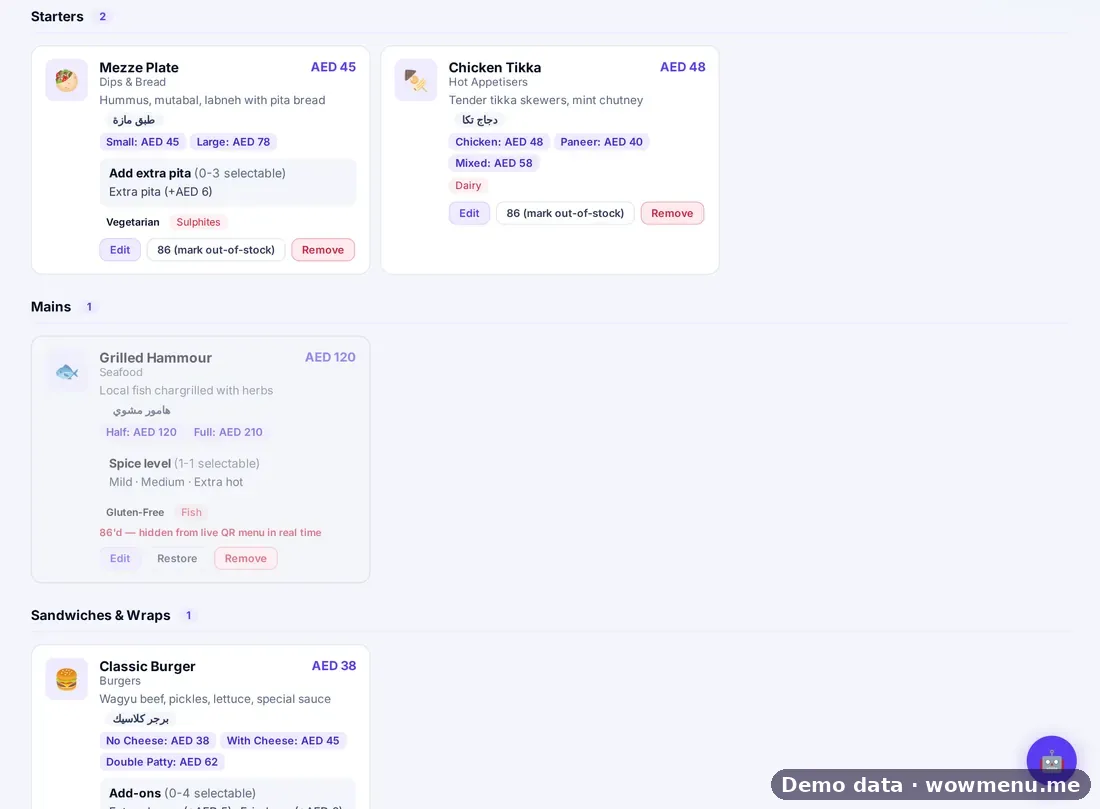
What the owner sets up or sees in the portal, and what the guest sees in the QR menu. Screens are from the demo restaurant, Maison Lumière, with demo data.
What you set in the portal is what the guest chooses from
Each dish is edited once in the Owner Portal, with AI generate for the description. The guest sees the sizes, add-ons, dietary tags and allergens when they open or add the dish.
Key benefits
What Digital Menu with Online Ordering does for your restaurant
Your brand, 83 themes
Pick from 83 themes and approve the ones guests may switch to, with your logo, tagline, hours and highlights on the landing page.
27 menu languages
Guests switch in one tap, Arabic is laid out right to left, and Auto-translate fills each language you enable.
Filters that matter
Dietary tags, spice level and allergens on every dish, with filters so guests find what suits them.
Order and pay from the menu
Sizes, add-ons, notes and allergies go with the order to the kitchen, and guests pay from the same screen.
How it works
Build or upload the menu
Add dishes in the Owner Portal or upload a menu, then set sizes, add-ons, allergens, photos and descriptions.
Pick your look and languages
Approve your themes, switch on menu languages and accepted currencies.
Print the QR codes
Table, main-door and takeaway codes, each routed to the right place.
Guests read, filter and order
The menu opens in the browser. Guests filter, ask MenuGPT, order and pay.
Frequently asked
What is a digital menu with online ordering?
A menu guests open on their phone that they can also order and pay from. With WowMenu the order goes to your kitchen display, and there is no app to download.
Can I show food photos?
Yes. Each dish can carry a photo and a description in the menu builder, alongside its sizes, add-ons and allergens.
Can guests filter by dietary needs and allergens?
Yes. Guests can filter by dietary need, spice level and allergen. Allergen information is a guide and a prompt for your team, not a guarantee, so staff should always confirm.
Does the menu recommend dishes?
Yes. MenuGPT, the AI chatbot in the menu, builds complete meal options from your menu, sized to the party.
Can the menu be in Arabic and other languages?
Yes. You can switch on 27 menu languages, Arabic is right to left, and Auto-translate fills each language for you to review.