From dish photo to live menu, with you in control. You can build the menu by hand, or upload a menu and let WowMenu propose the items, prices and categories for your approval. Nothing goes live until you approve it.
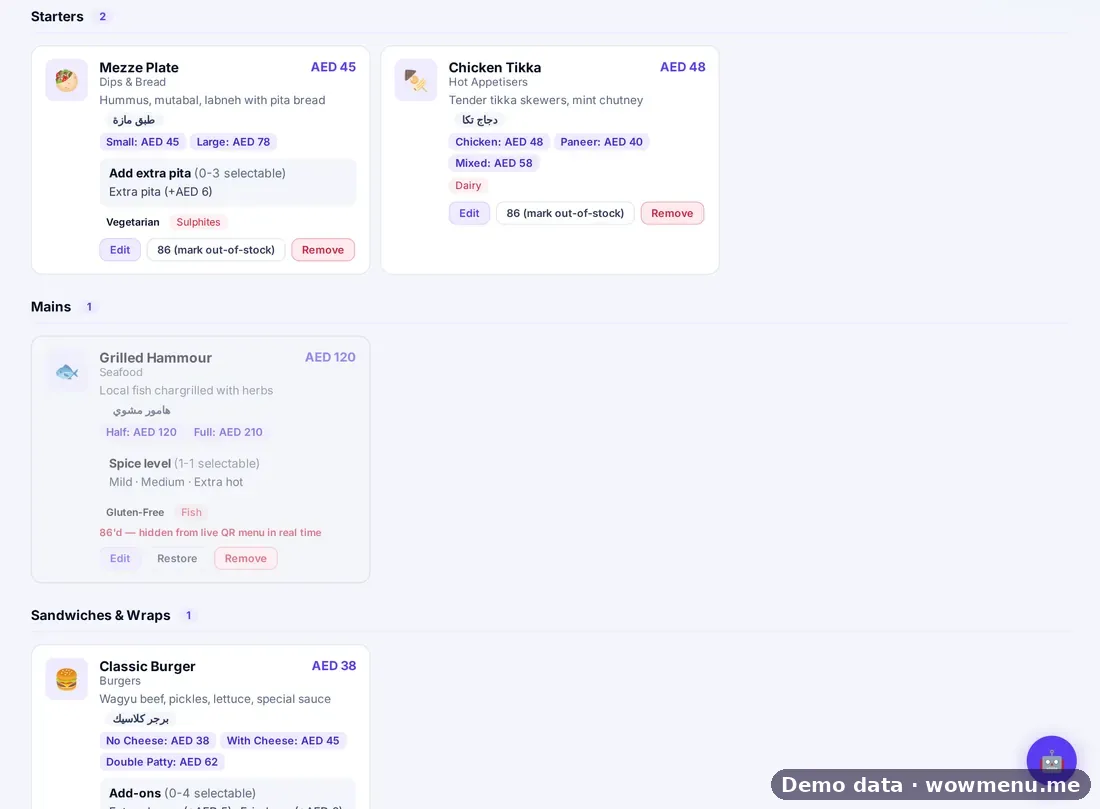
Per dish, you set the name, category and sub-category, sizes with their own prices, a photo and a description. You also set allergens (nine options), dietary tags (Vegetarian, Vegan, Gluten-Free, Spicy, Halal), spice level, preparation time and calories, and add-on groups with minimum and maximum choices and priced options, such as Doneness: pick exactly one. Related dishes feed MenuGPT's pairing suggestions.
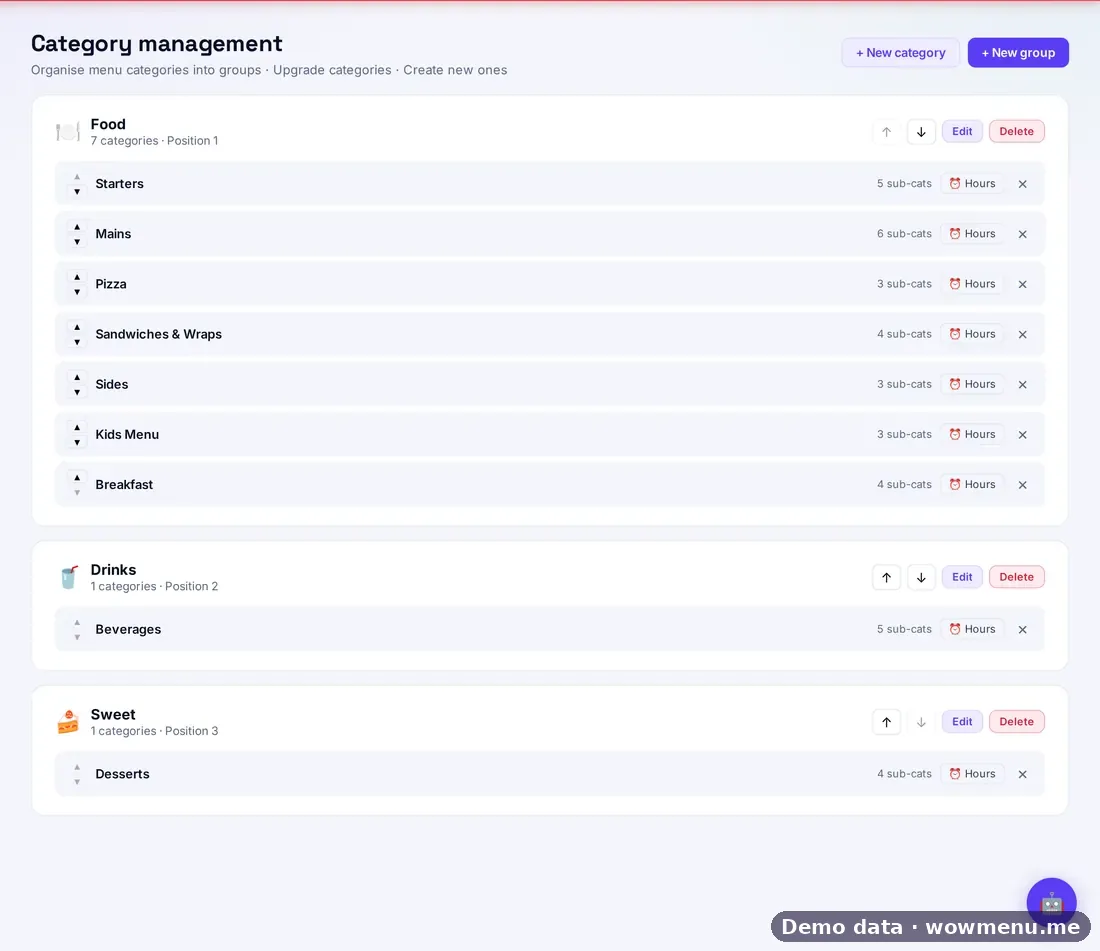
Across the menu, you organise two levels (groups such as Food and Drinks, with categories and sub-categories you can reorder), set availability windows such as Breakfast 06:00 to 11:00, and build combo deals from dishes, courses and quantities. Prices only move up over time, and every price reduction goes through Campaigns, where it is scheduled, targeted, capped and measured.
Menu upload proposes a draft of items, prices and categories for you to review and approve. You can also import a menu from Noon or Talabat, draft descriptions with AI generate and fill other languages with Auto-translate. Check every item before it goes live.
How it connects
What the owner sets up or sees in the portal, and what the guest sees in the QR menu. Screens are from the demo restaurant, Maison Lumière, with demo data.
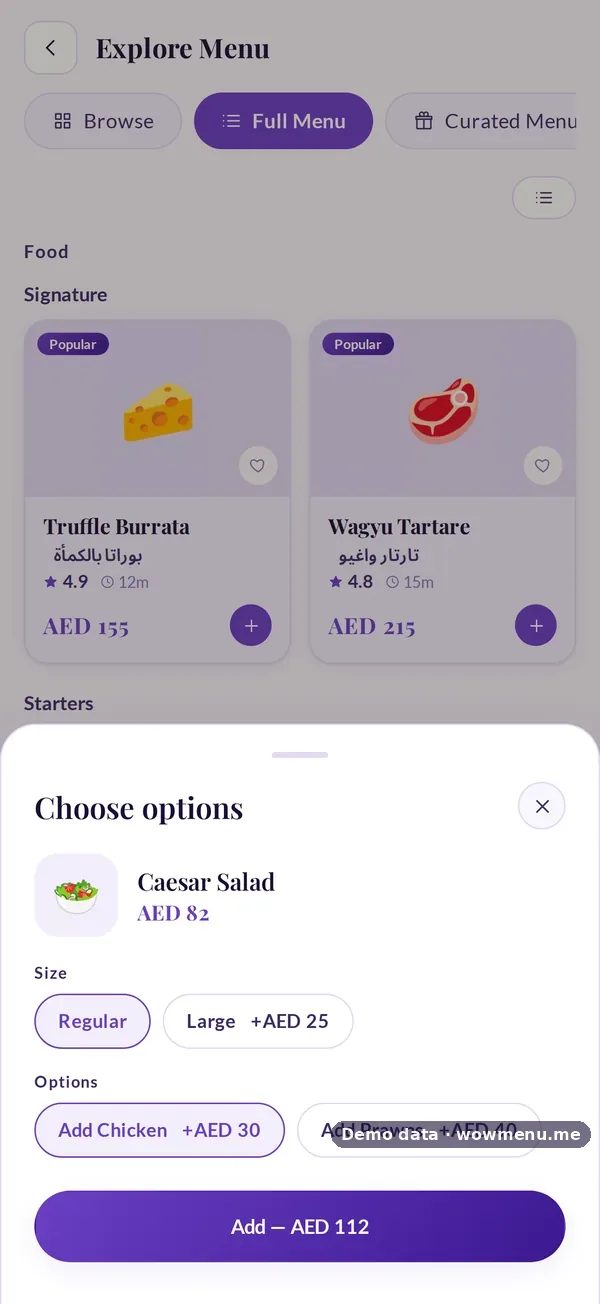
Sizes, add-ons and allergens in the portal become the options the guest chooses
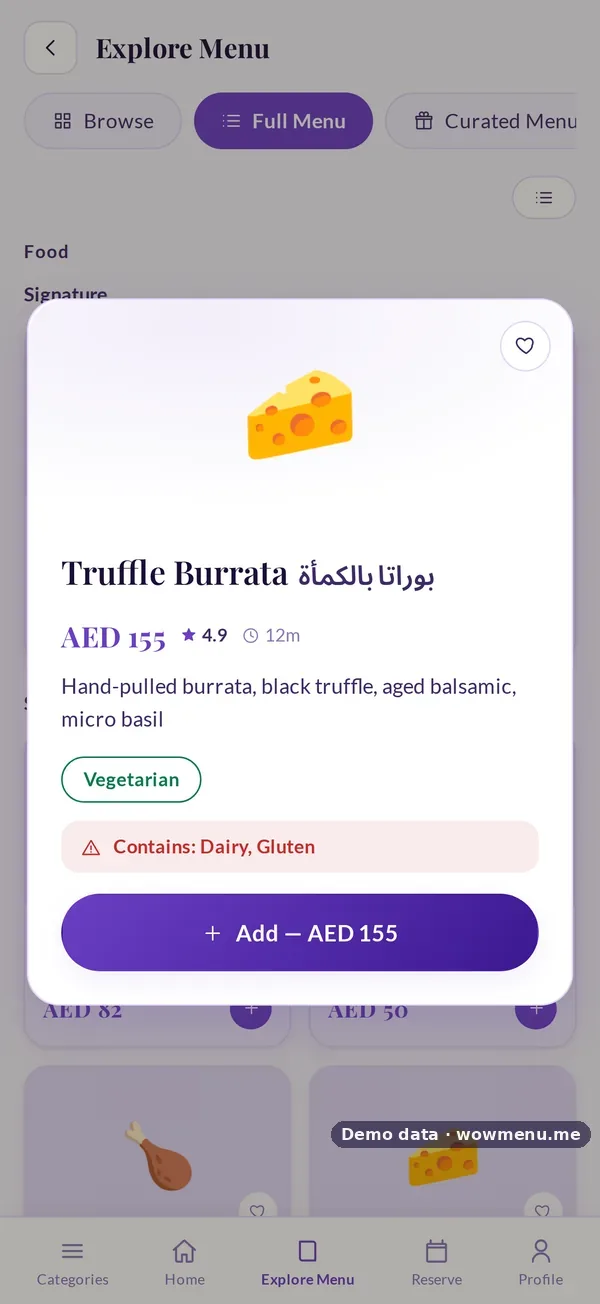
The owner defines sizes, add-on groups and allergens for each dish. The guest sees them when they add the dish, and allergens on the dish detail.
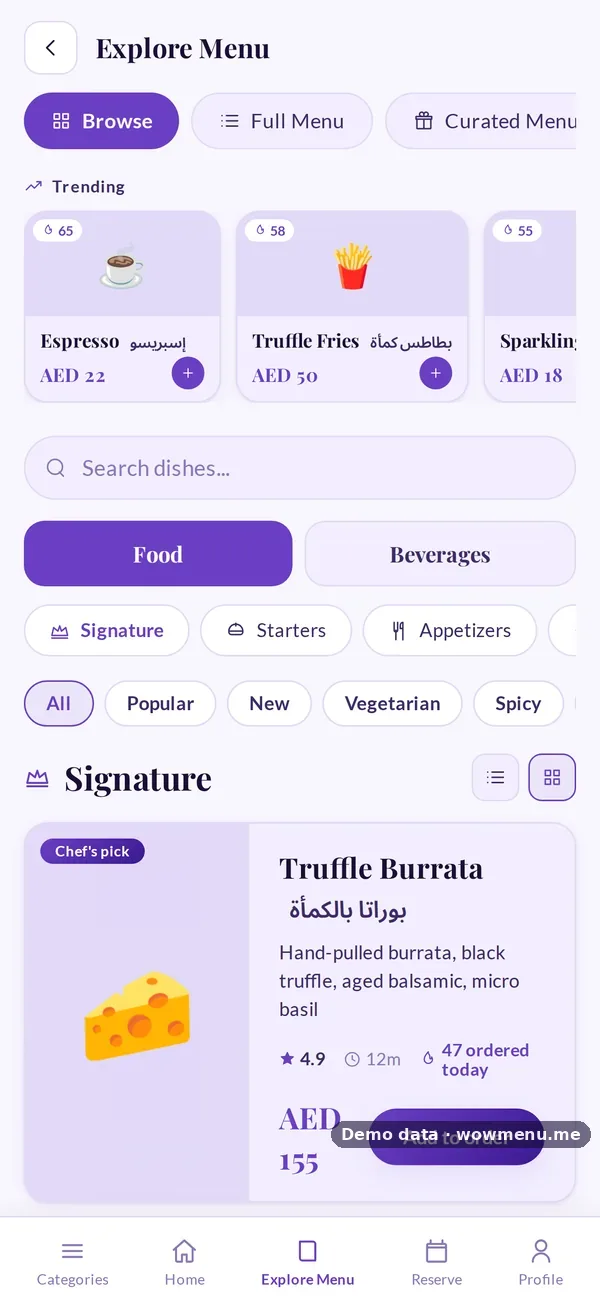
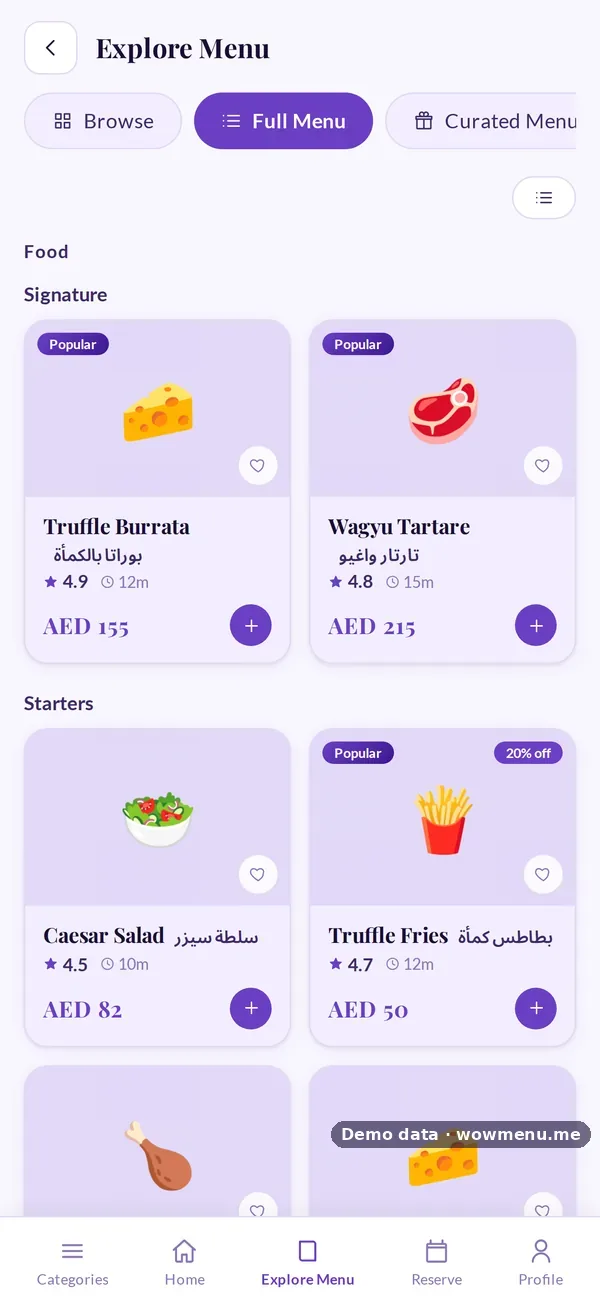
Groups and categories decide how the guest browses
The owner organises groups, categories and availability hours. The guest browses the same structure as tabs and chips.
Key benefits
What Restaurant Menu Builder does for your restaurant
Everything per dish
Sizes and prices, photo, description, nine allergen options, dietary tags, spice level, preparation time and calories.
Add-on groups with rules
Minimum and maximum choices and priced options, for example Doneness: pick exactly one.
Groups, categories and hours
Two-level organisation, reorderable, with availability windows such as Breakfast 06:00 to 11:00.
Approval before go-live
Uploaded items are a draft until you approve them, and a one-tap 86 removes a sold-out dish from the live menu.
How it works
Build or upload
Add dishes by hand, or upload a menu and review what WowMenu proposes.
Set the details
Sizes, allergens, dietary tags, add-ons, related dishes and category hours.
Approve
Nothing goes live until you approve it.
Run it day to day
Edit items, reorder categories, build combos and 86 dishes that sell out.
Frequently asked
Can I upload my existing menu?
Yes. WowMenu proposes items, prices and categories as a draft for your approval. Check each item, because nothing goes live until you approve it.
Does WowMenu import menus from delivery platforms?
Yes. The Menu items screen can import a menu from Noon or Talabat, which you then review before it goes live.
Does WowMenu write my dish descriptions or translate them?
It can. AI generate drafts a description for a dish, and Auto-translate fills every menu language you switch on. You review both before guests see them.
How do price changes work?
Prices only move up over time. Every price reduction goes through Campaigns, where it is scheduled, targeted, capped and measured.