The Owner Portal opens on Today, a live view of the day, and organises everything else into five groups. It is one calm place to run the service instead of six separate tools.
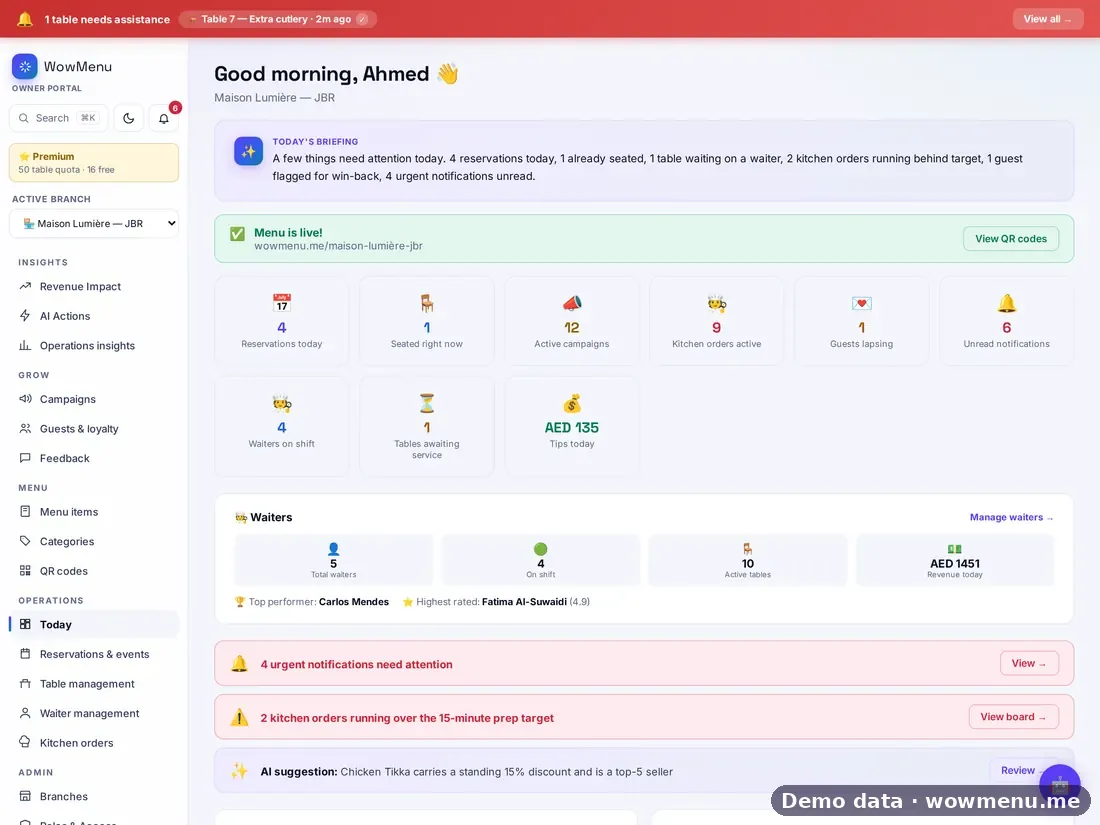
Today gives you a short briefing, key tiles (reservations, who is seated, active campaigns, kitchen orders, guests lapsing), priority alerts that open the right screen, upcoming reservations and quick actions. A call banner stays visible on every screen when a guest needs help.
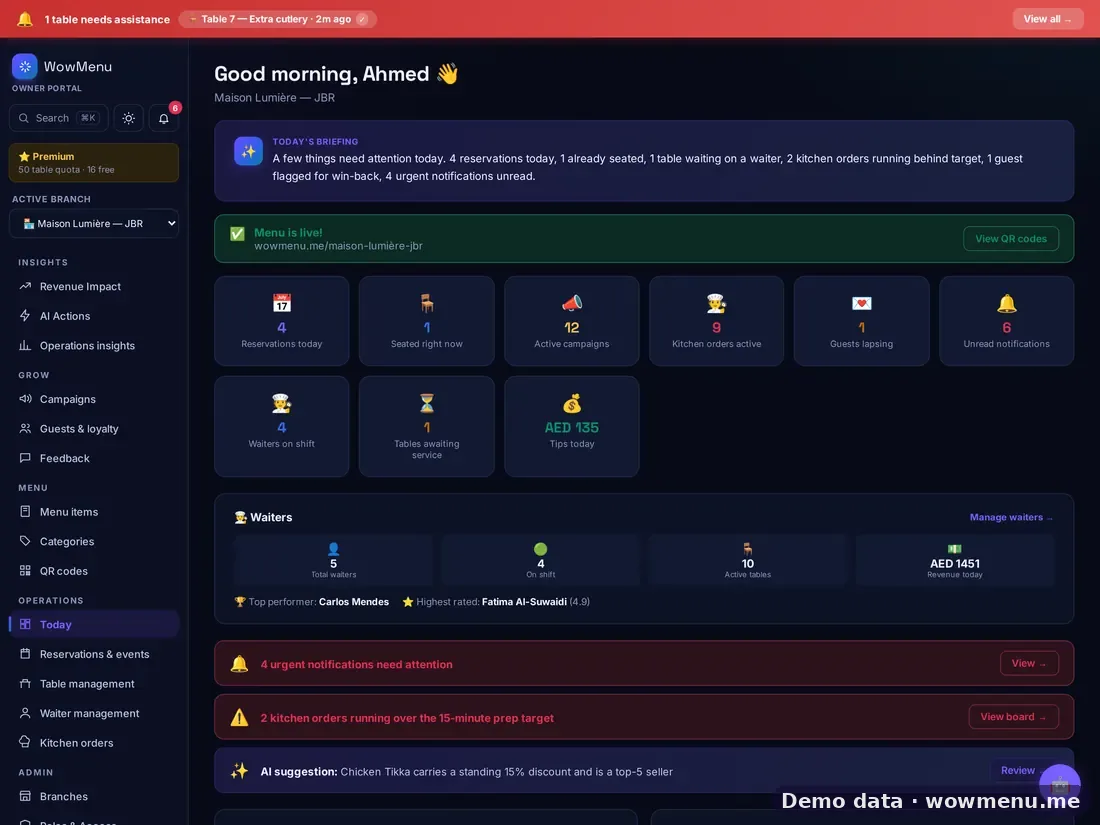
Search and jump to any screen with Cmd+K, switch to Night mode, and use the same layout on desktop, iPad and phone. Menu, QR codes, categories, tables, waiters, kitchen, reservations, guests, campaigns, billing, feedback, roles and integrations all sit under one login.
The Owner Portal is included with every plan. Which modules you see depends on your plan. Product screens shown on this site use demo data from our demo restaurant, Maison Lumière.
Key benefits
What The Owner Portal does for your restaurant
Today, at a glance
A short briefing, live tiles for reservations, seated tables, campaigns, kitchen orders and lapsing guests, and priority alerts that open the right screen.
A call banner on every screen
When a guest needs help, the banner stays visible wherever you are in the portal.
Search, Night mode, any device
Jump to any screen with Cmd+K, switch to Night mode, and work on desktop, iPad or phone.
How it works
Open on Today
See the briefing, the key tiles, priority alerts, upcoming reservations and quick actions for the day.
Act on an alert
Alerts open the screen where the problem can be fixed, such as the kitchen board when orders run behind target.
Jump anywhere
Use search to reach any screen, or browse the five groups.
Run it from any device
The same portal works on desktop, iPad and phone, with Night mode for late service.
Frequently asked
What do I see when I log in?
Today: a short briefing, key tiles, priority alerts, upcoming reservations and quick actions.
What can I manage from the portal?
Menu, QR codes, categories, tables, waiters, kitchen, reservations, guests, campaigns, billing, feedback, roles and integrations, all under one login.
Does it work on a phone or tablet?
Yes. The layout works on desktop, iPad and phone, and there is a Night mode.
Is the Owner Portal included in every plan?
Yes, it is included with every plan. Which modules you see depends on your plan.