Allergy information is only useful if it reaches everyone who handles the order. On WowMenu, each dish shows what it contains, the guest marks allergies on the order, saved allergy alerts flag matching dishes, and the kitchen ticket carries the flag.
Allergens are set per dish in the Owner Portal from nine allergen options. Show to staff lists allergies in large text, and the kitchen board flags allergies picked up from order notes so the team can confirm before cooking.
Allergen information depends on the data you enter, and kitchen flags are prompts for your team. They do not guarantee a dish is free of an allergen, so staff should always confirm with the guest.
An allergy's journey, from the guest to the pass
Allergen information travels with the order, so the guest, the server and the kitchen see the same thing. Screens from the demo restaurant and the Owner Portal.
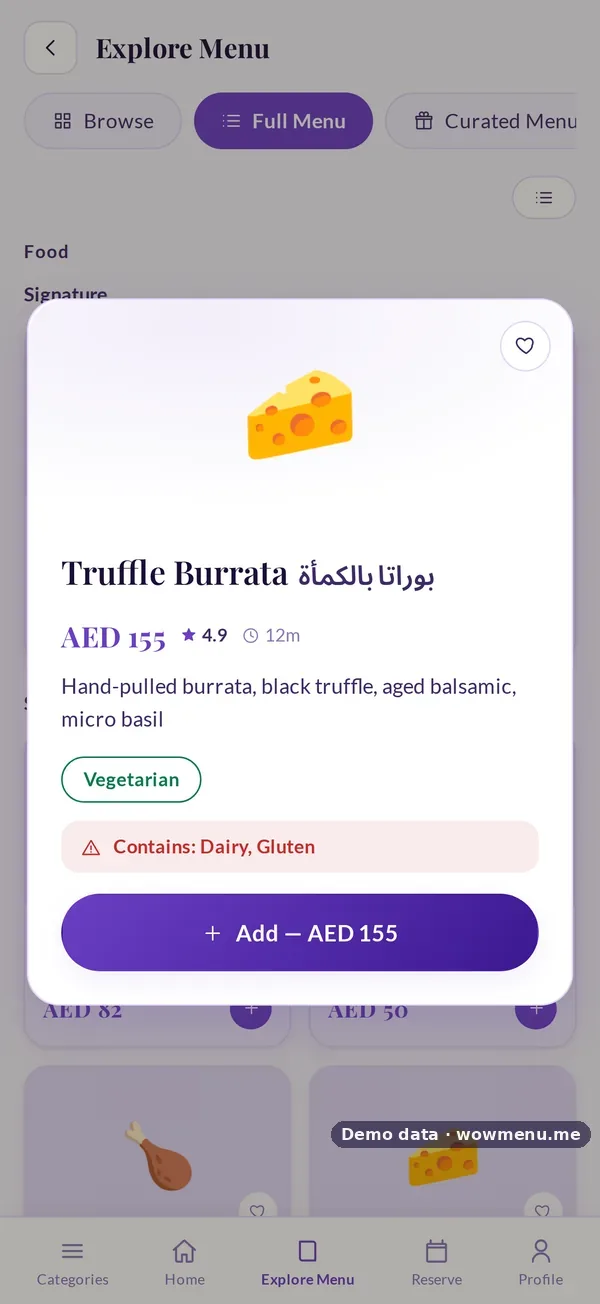
Each dish shows what it contains, from nine allergen options set in the portal.
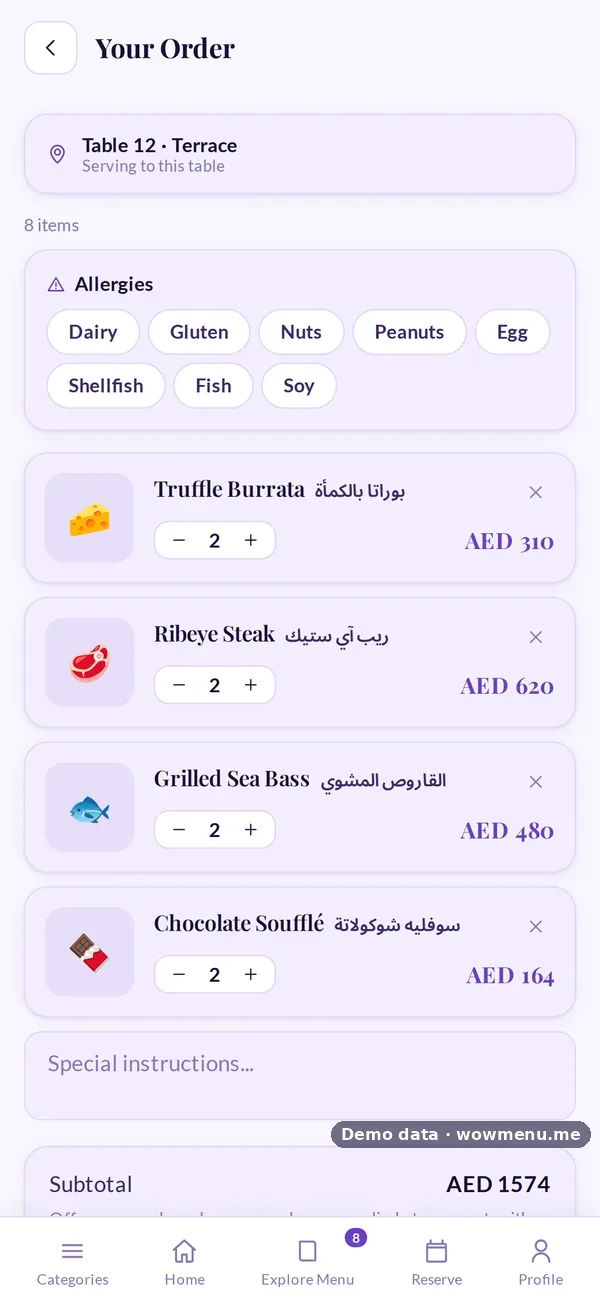
The guest marks allergies on the order, and saved allergy alerts flag matching dishes across the menu.
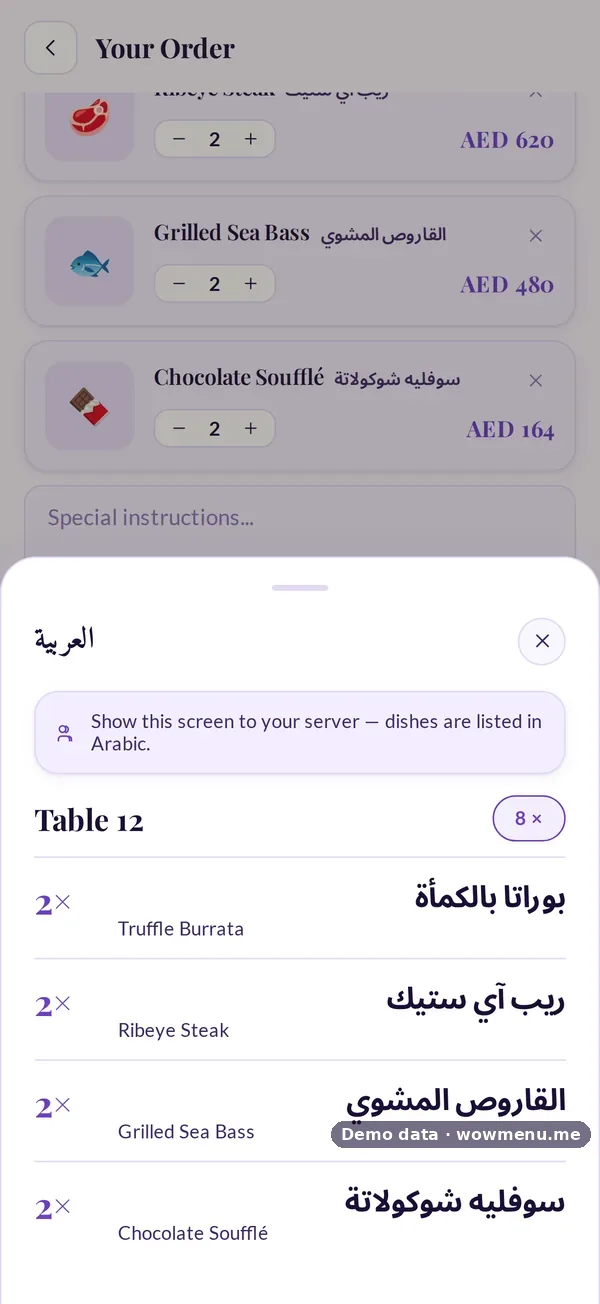
Show to staff opens the order in large text for the server, with allergies listed.
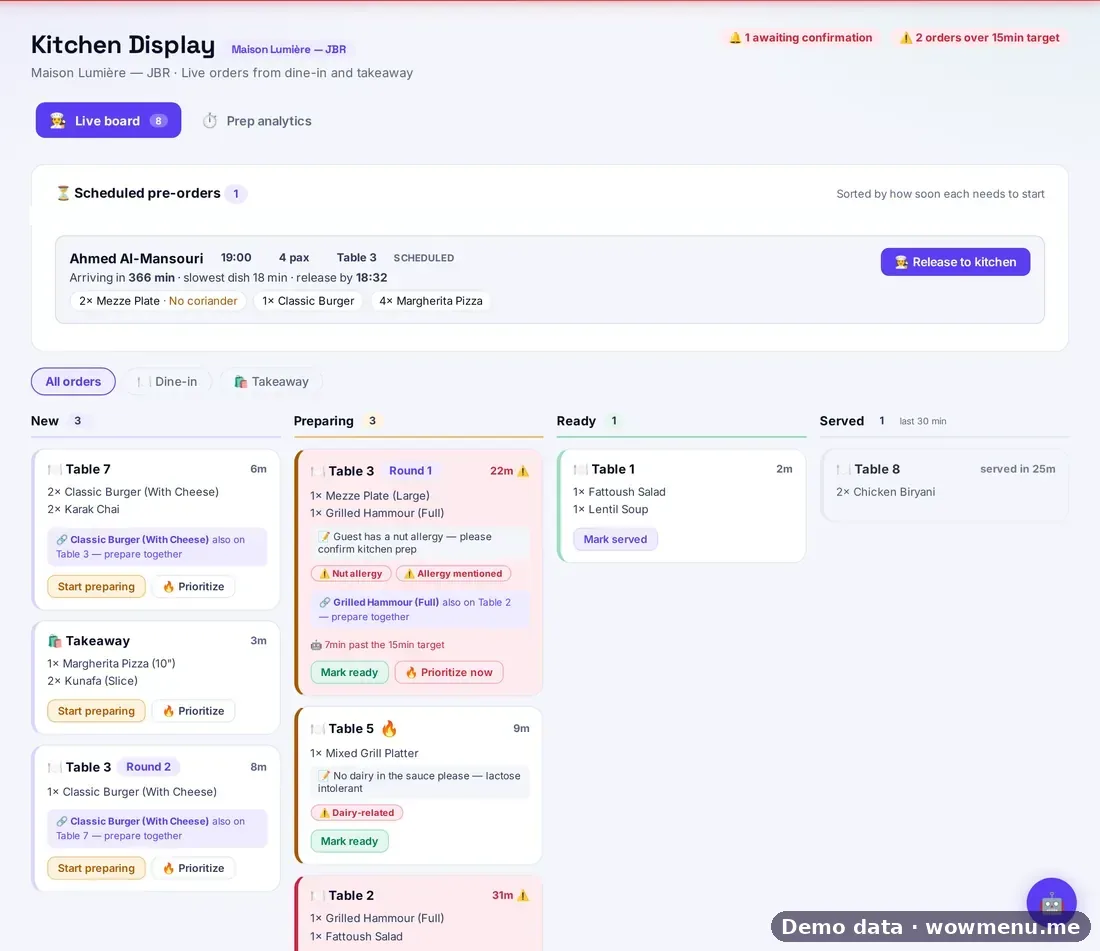
The kitchen board flags allergies picked up from the order, so the team can confirm before cooking.
Allergen information depends on the data you enter, and kitchen flags are prompts for your team. They do not guarantee a dish is free of an allergen, so staff should always confirm with the guest.
Key benefits
What Allergen Information on Every Dish does for your restaurant
On the dish
Each dish shows what it contains.
On the order
Guests mark allergies on the order, and saved alerts flag matching dishes.
On the ticket
The kitchen board flags allergies so the team can confirm.
How it works
Set allergens per dish
Choose from nine allergen options in the Owner Portal.
The guest sees and declares
Allergens show on the dish, and the guest marks allergies on the order.
Staff see it
Show to staff lists allergies in large text.
The kitchen confirms
Allergy flags on the ticket prompt the team before cooking.
Frequently asked
How do guests see allergens?
On each dish, and they can filter the menu by allergen.
Can guests save their allergies?
Yes. Signed-in guests save allergy alerts that flag matching dishes across the menu.
Does the kitchen see allergies?
Yes. Allergies on the order are flagged on the kitchen ticket.
Is allergen information guaranteed?
No. It depends on the data you enter, and staff should always confirm with the guest.